
Franklin County Docket Search Portal
Most Franklin County case searching now starts online. Since April 29, 2024, the county has run on eCourts. The North Carolina eCourts Portal serves as the public view-only layer for those Odyssey records. Think of it as a window, not a filing desk. It does not certify records, and it is not the official case file itself. When a screen leaves you guessing, the Franklin County clerk still holds the answers.
Portal gives public users Smart Search, Search Hearings, Make Payments, and NC Judgment Search. An account is usually optional for routine lookups. Older or paper files raise a wrinkle. Sealed, expunged, or otherwise restricted matters may need a different route for both Franklin County Superior Court and District Court records. For local court services, the Franklin County court location page is the official entry point.
Name-Based Case Searches
Start a name search in Portal Smart Search. One field does most of the work: type either a record number or a name formatted as Last, First Middle Suffix. Enter the name the way the court itself would likely store it. The result list then shows you the Franklin County case number and case type for each match. A common surname can pull hundreds of records, so a Franklin County docket search pays off when you narrow by location and whatever case details you already have.
- Open the North Carolina eCourts Portal and select Smart Search.
- Enter a case number, or type the name in Last, First Middle Suffix order.
- Use Advanced Search when the Franklin County result set needs a location, case-type, party, or date filter.
- Open a public case number and read the Case Summary or Register of Actions before relying on a status label.
The Franklin County Portal guide documents the search fields that follow. Only the basic search field is required to begin. Every other filter narrows a Franklin County case search in its own way, and pairing a few of them is usually faster than one broad sweep.
| Field Label | Type | Required | Notes |
|---|---|---|---|
| Smart Search | Text | Yes | Enter a record number or Last, First Middle Suffix. |
| Search Type | Selector | No | Sets the type of Franklin County search. |
| Location | Selector | No | Select Franklin County when that venue is known. |
| Party and Case Criteria | Filters | No | Includes party, date-of-birth range, case type, and status choices. |
Franklin County Name Search Format
Basic Portal searches cap results at 200. Treat that ceiling as a nudge to tighten your terms rather than a reason to draw conclusions from a common name. Portal does allow an asterisk wildcard in documented situations. Its own guide warns against placing the wildcard within the first three characters of a business name that contains spaces or special characters. One more quirk matters for Franklin County: ordinary results mask dates of birth, so two people with the same name can be hard to tell apart.
- Case type
- The Portal category used to narrow a Franklin County case search, such as Criminal, Civil General, or Estate.
- Case status
- A current Portal label, including Pending, Disposed, Completed, or category-specific labels.
- Location
- The participating county chosen for a Franklin County docket search.
- Wildcard
- An asterisk search character that must be used within the Portal guide's stated limits.
Filters can work against you. The Franklin County Portal guide warns that picking a case type does not always trim the status list, so an odd pairing can quietly leave a Franklin County record out of view.
Case Number Searches
The fastest route into a public Franklin County case search is an exact case number. The Portal FAQ shows how statewide Odyssey numbering works with the sample 21CR000003-910: two digits for the year, case-type letters, a six-digit sequence, then a hyphen and a county identifier. Treat it as a lesson in layout, nothing more. That number is not a Franklin County number. Never guess a local suffix from a published example.
Copy the number exactly as it appears on a notice, citation, filing, or an older court record. A matching public Portal case appears when the case is public and the county participates. A blank result usually means a typo, so check every character and the county first. Still stuck? Ask the Franklin County Clerk of Superior Court to confirm the public record route.
Franklin County Case Search Filters
Advanced Search beats a broad name query for a Franklin County docket search. The documented filters cover Search Type, Location, Party Search criteria, a date-of-birth range, and Case Search Criteria. Case-type groups span Civil, Domestic, Criminal, Infraction, Estate, guardianship-related, mental-health-related, and special-proceeding categories. Which status labels appear depends on the group you pick.
Franklin County criminal and infraction results, for instance, may read Pending, Disposed, Completed, Archived, Appealed–Appellate, Pending Expungement, or Transferred to Superior. Civil dockets lean on labels like Pending, Appealed, Final Judgment No Trial, and Voluntary Dismissal, plus other specialized terms. Labels only describe the interface. The real Franklin County court event, its date, and later activity live in the Register of Actions and, when necessary, the clerk-held file.
A tight filter helps, but if an expected public result never shows, rerun the Franklin County case search with a compatible criterion.
Case Search Results Explained
Clicking a result row in a public Franklin County case search usually opens the Case Summary or the Register of Actions. Portal calls the Register of Actions a summary of public docket entries drawn from the clerk's official record. That wording matters. It is not the official court record itself. Civil, family, probate, and mental-health cases may also carry a Cause of Action section, and hearing or financial sections appear only when that case data exists.
| Case number | The identifier used to open a public Franklin County case and its Register of Actions. |
|---|---|
| Case type | The Portal category, such as Criminal, Civil General, Estate, or Infraction. |
| Case status | A Portal label that needs the docket dates and entries for context. |
| Register of Actions | A summary of public docket entries, not a certified Franklin County court record. |
| Hearing information | Scheduled hearing details when the underlying Franklin County data is available. |
Need a filed paper, a certified copy, or proof of a case detail in Franklin County? The Franklin County court case records route covers that. That work sits with the Franklin County Clerk of Superior Court, which keeps the clerk-held file and handles every copy request.
Franklin County Register of Actions
The Franklin County Register of Actions lays out public case events in the order they happened. Expect filed entries, settings, and other docket activity there. Still, it is not the official file. Read any charge, status word, or dated entry as one piece of the full Franklin County case history. Let court staff point you to the certified record when a case needs confirmation.
One warning about the filing side. The eCourts File & Serve screen belongs to Tyler Technologies Odyssey filing. It is not public docket search. A Franklin County user looking up a case should not start there.
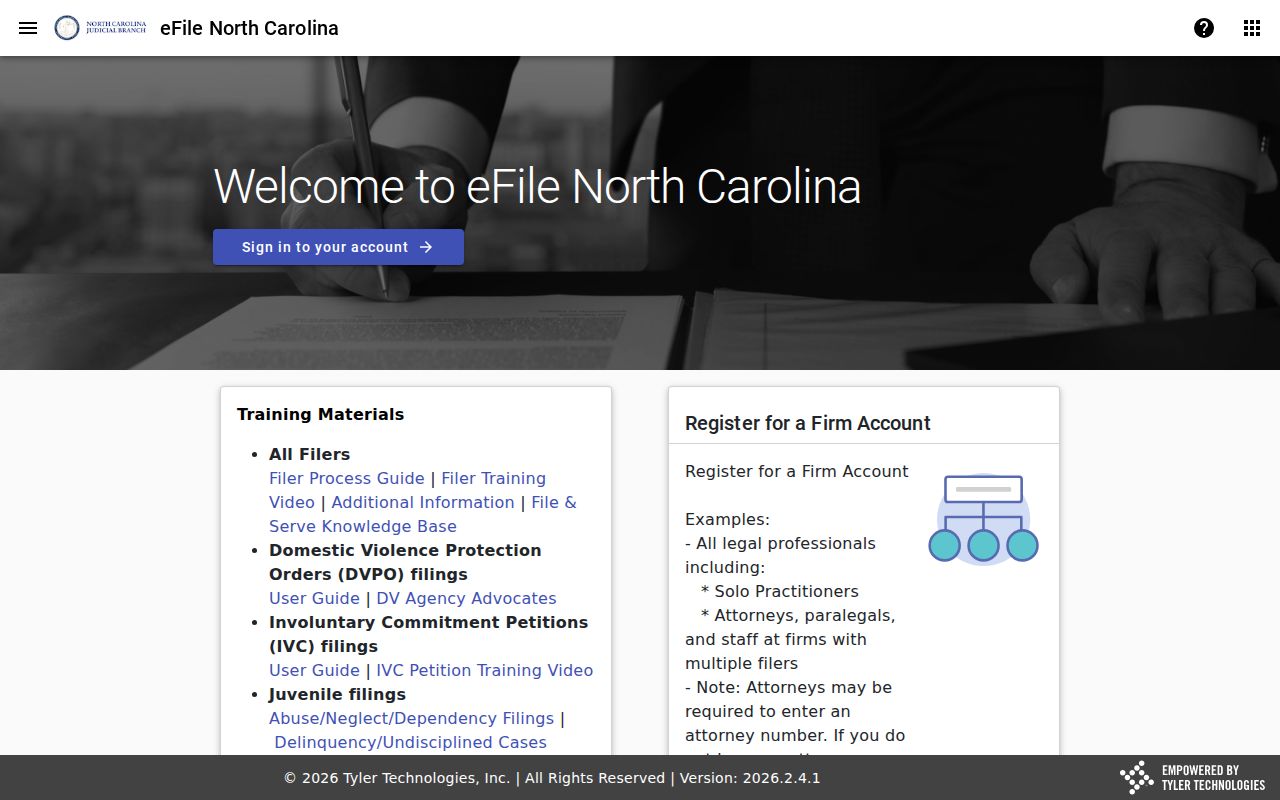
That line matters in practice. It keeps a Franklin County public search distinct from account-based filing work and from a clerk request for an official court record.
Two Ways to Search: County and State
Franklin County runs no separate county docket portal. The North Carolina eCourts Portal serves as the common public search interface for participating Odyssey counties. Meanwhile, the Franklin Clerk of Superior Court holds the actual case file for any Franklin County matter. Each route answers a different need. Portal helps you locate public case information. The clerk handles file confirmation, paper-file questions, and authenticated copies.
| North Carolina eCourts Portal | Franklin Clerk of Superior Court |
|---|---|
| Searches public Odyssey information for participating counties, including Franklin County. | Keeps Franklin County court files, dockets, and indexes. |
| Shows public case information and a Register of Actions summary. | Handles file checks, copies, certifications, and public-terminal questions. |
| Best for an initial name, number, hearing, or judgment reference search. | Best for official-record confirmation and an unavailable online record. |
Franklin County Hearing Search
Search Hearings is a separate court-date tool. It sits inside Portal for Franklin County. It accepts a case number, party name, business name, attorney name, attorney bar number, judicial officer, or courtroom. Narrow it by location, hearing type, and date range. A Franklin County hearing result helps with current scheduling research. It does not replace a case notice, a court order, or a last-minute instruction from the courtroom.
For criminal and civil calendar material, the Franklin County local administrative schedules page offers its own official route. Weather or emergency changes can trigger mailed rescheduling notices. The Franklin County clerk can help confirm what applies.
Which Cases Stay Restricted
Not every Franklin County matter shows up in an ordinary public search. Portal flags sealed court records, unreturned criminal warrants, juvenile matters, protective orders, non-domestic restraining orders, domestic-violence protective orders, and confidential special proceedings as categories that may need elevated access or stay offline. A public case shell can also appear without every sensitive filed document visible.
North Carolina law protects public inspection while allowing restrictions. G.S. 7A-109 covers clerk-maintained files, dockets, and indexes, and G.S. 1-72.1 sets the civil access and sealing procedure. Access to a Franklin County case rests on the law and any court order, not on guesses drawn from a search screen.
Franklin County No Result Steps
An empty Franklin County search result can mean several things. Maybe the name format is wrong, or the case number holds a typo. A broad search may need a supported filter. The record may be restricted. Or the historical source may sit outside the Portal's participating-county coverage. Treat a blank screen as neither proof about a person nor a complete court history.
- Check the name order or exact Franklin County case number.
- Retry with a compatible Portal filter and confirm Franklin County as the location.
- Use Search Hearings or the current schedule when the question is a court date rather than a case record.
- Call or visit the Franklin Clerk of Superior Court with the case county, case type, party name, and precise record sought.
The clerk's office offers more than the Portal. Franklin County public terminals and paper files remain routes for a Franklin County case held in the county. Ask staff for the terminal and file counter rather than assuming every record displays online.
Franklin County Filing Access
Public case access and filing in Franklin County use related technology but do different jobs. Portal is the view-only Odyssey window for searches, hearings, payments, and judgment reference. eCourts File & Serve is the electronic filing route. Accounts exist for attorneys and self-represented filers as applicable. Finding a public case there grants no filing access. Nor does a public search become a clerk-certified document.
Franklin County moved to the newer eCourts workflow in 2024. Older record questions may still need the clerk's terminal or the paper-file route. The platform change never shifted custody of Franklin County filed case documents. They stayed with the clerk.
Franklin County Federal Docket Boundary
A Franklin County search through Portal covers North Carolina state courts only. Federal civil, criminal, and bankruptcy dockets are not in it. Appeals to the North Carolina Court of Appeals run through a separate statewide route. Federal district-court records for the area live elsewhere. Use the Eastern District of North Carolina CM/ECF system and federal PACER. Bankruptcy cases sit in a separate federal court system. The Franklin County clerk cannot stretch a state docket search into a federal case lookup.
Note: A Portal result can identify Franklin County public state-court information. Appellate and federal records demand their own court route.